
PublishStudio
Desktop publishing in your browser. Print-ready from the first page.
Bulletins, flyers, newsletters, programs and booklets — laid out like a desktop-publishing app, with linked text boxes, styles and master pages, then exported as a print-ready PDF. Nothing to install, and everything saves as you go.
See it in action
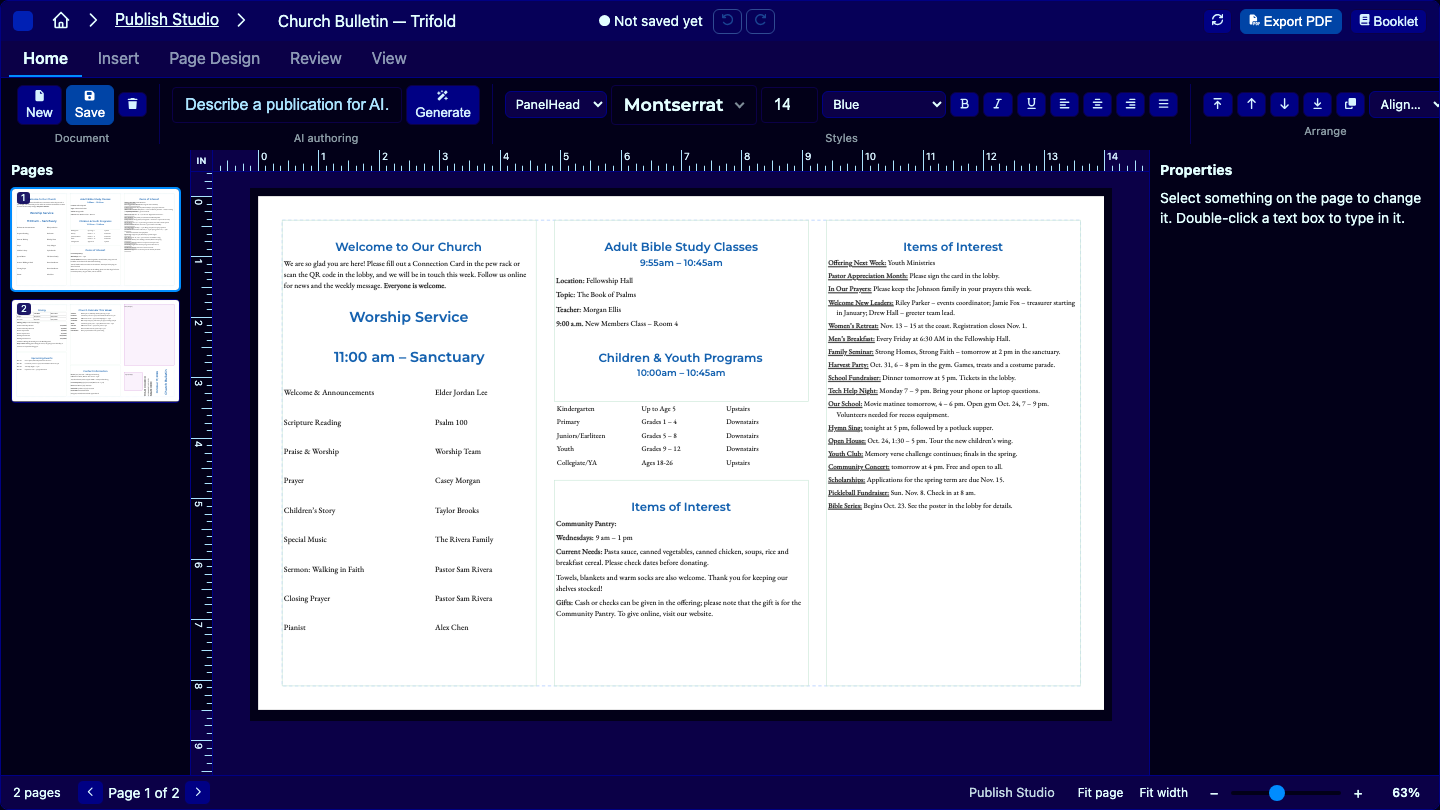
A 40-second tour of PublishStudio.
Start from a layout, turn the pages, select anything on them, and find every tool on the ribbon.
Print pieces still get made the hard way.
Microsoft Publisher is being retired in October 2026. Churches, schools, clubs and small offices have years of bulletins and newsletters built in it — and need somewhere to go next.
The alternatives miss the middle. Word fights you the moment text needs to flow between columns or pages. Design tools are built for social posts, not an eight-page booklet with page numbers. Professional layout software is more than most teams need — or can afford.
Key features
Everything a print piece needs — and nothing it doesn't.
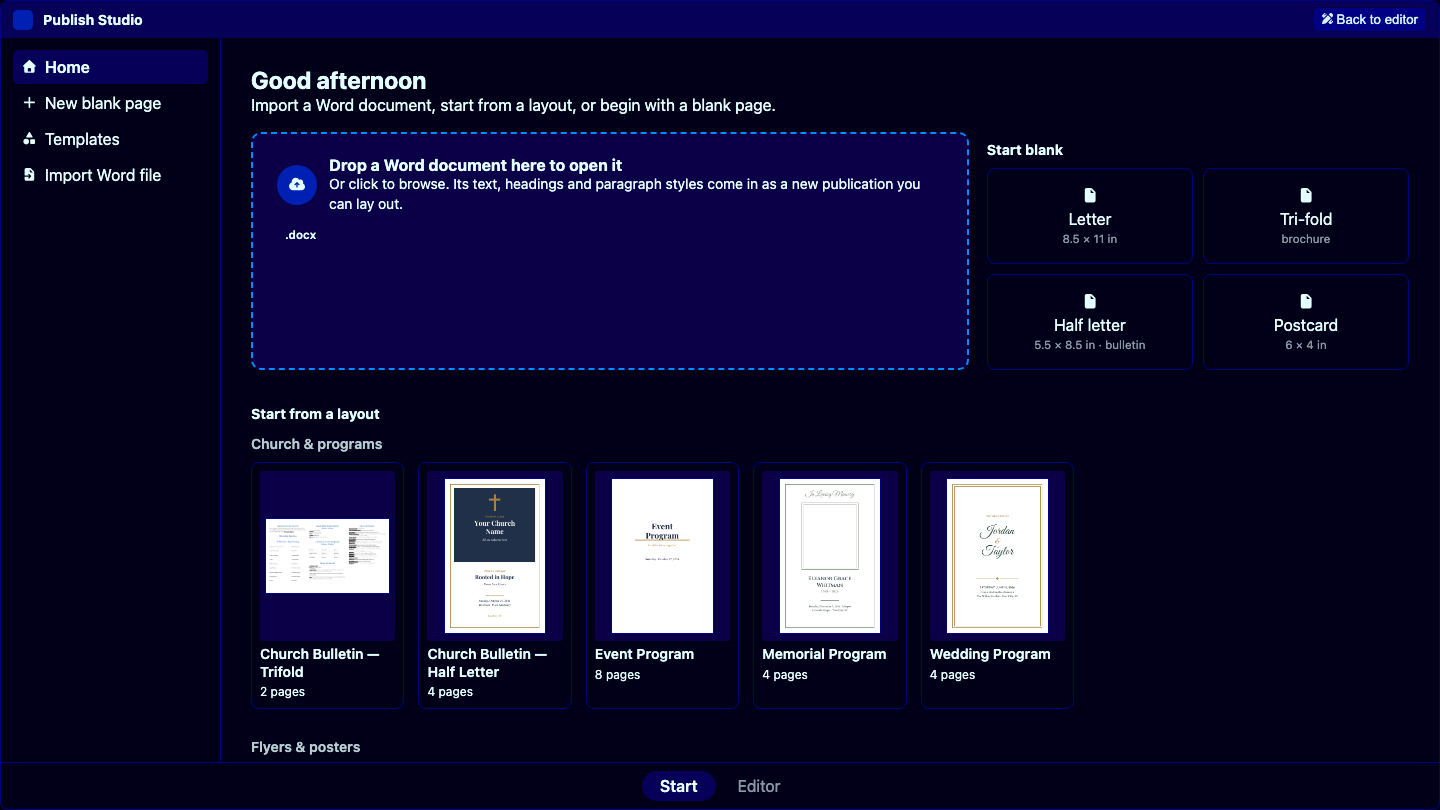
Start from 25 ready-made layouts.
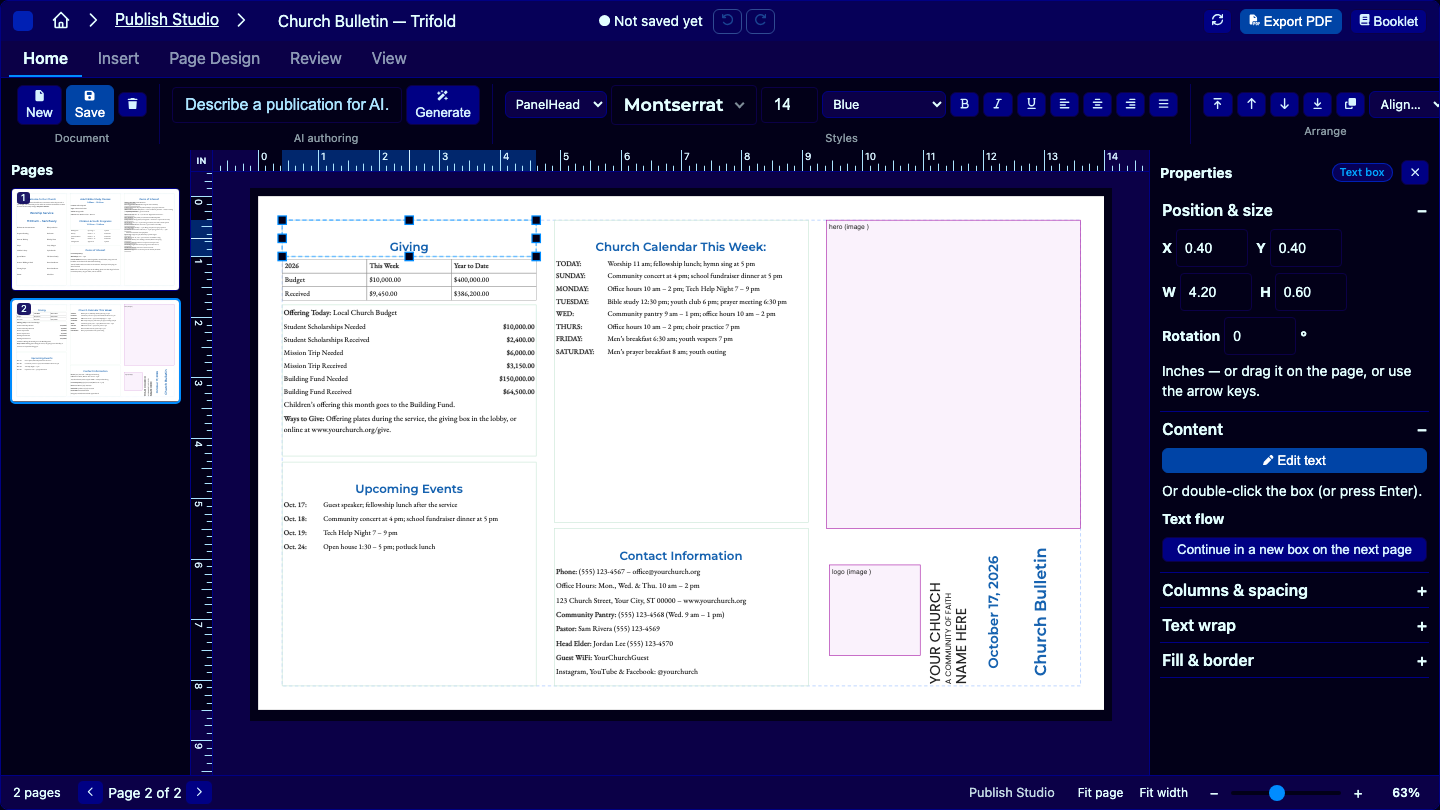
Bulletins, programs, flyers, newsletters, menus, cards and more — built with real text boxes and styles, so every word is yours to change. Or start from a blank page in any size.
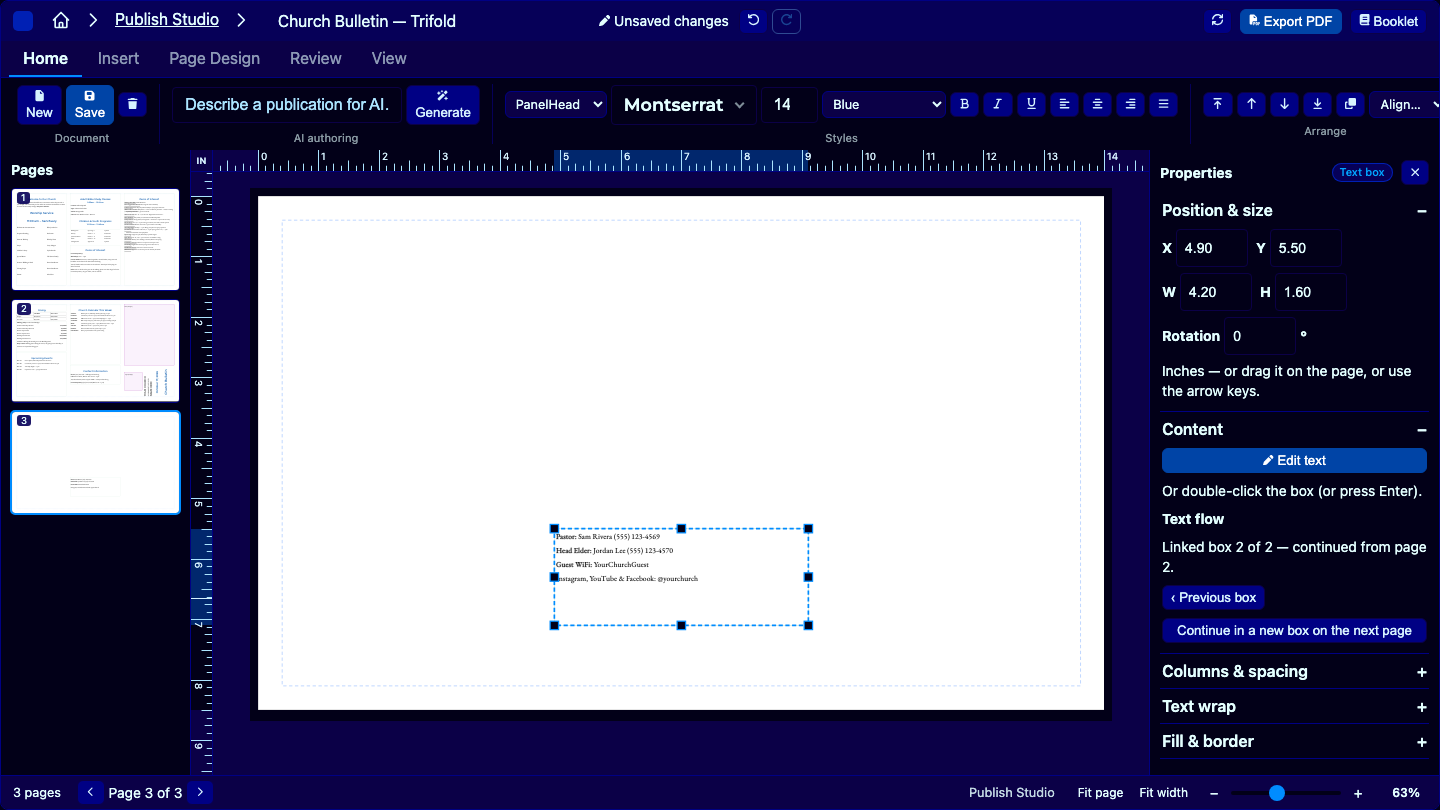
Text that flows from box to box.
Too much for one column? Continue it in another box — on the same page or the next — and the text flows between them as you edit. Wrap text around pictures and shapes.
Styles, so a change happens once.
Headings, body text and captions are styles. Change a style's font, size or colour and every paragraph that uses it follows — across every page.
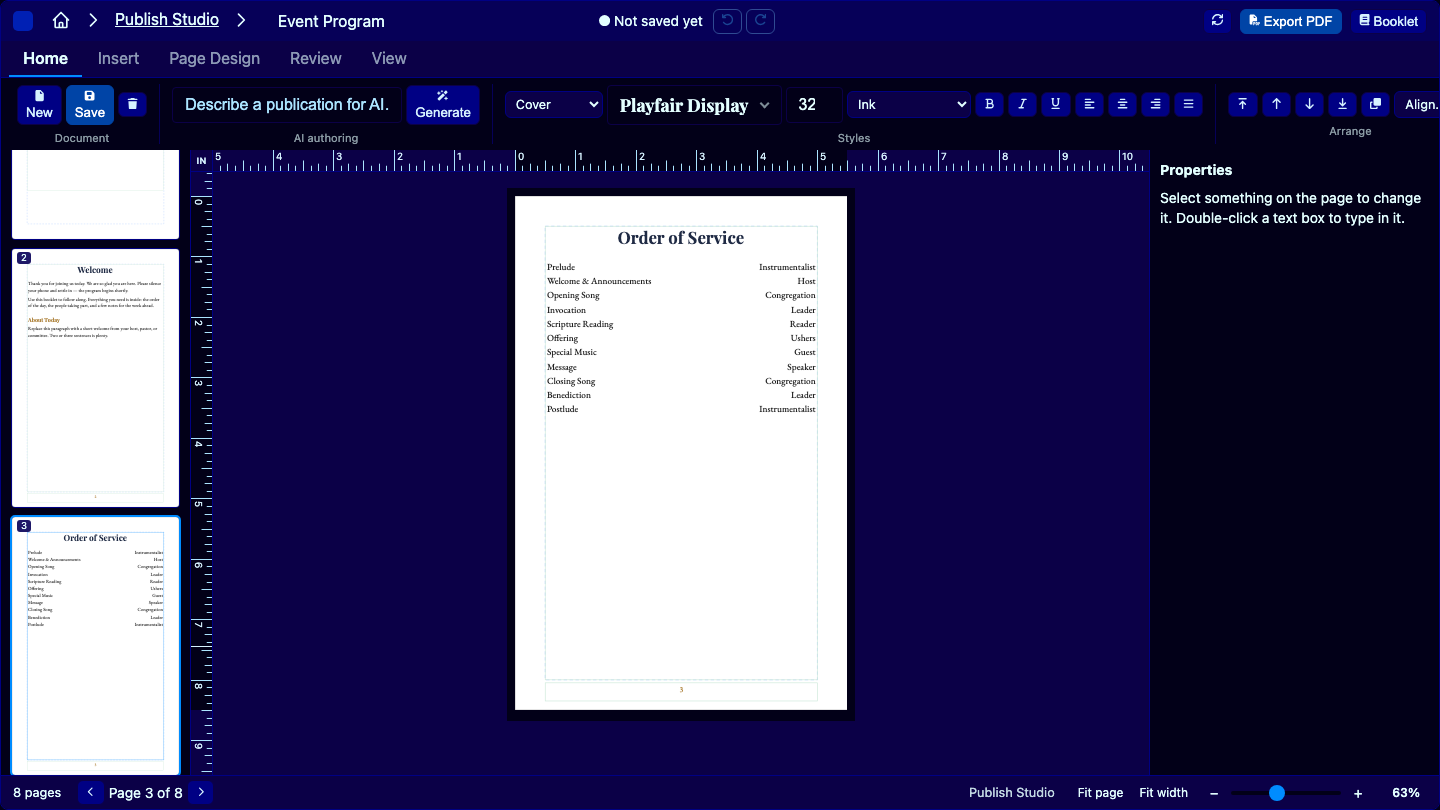
Master pages and page numbers.
Put the page number, header and footer on a master page once; every page that uses it shows them, numbered automatically. Eight-page booklets stop being a chore.
Check it, then print it.
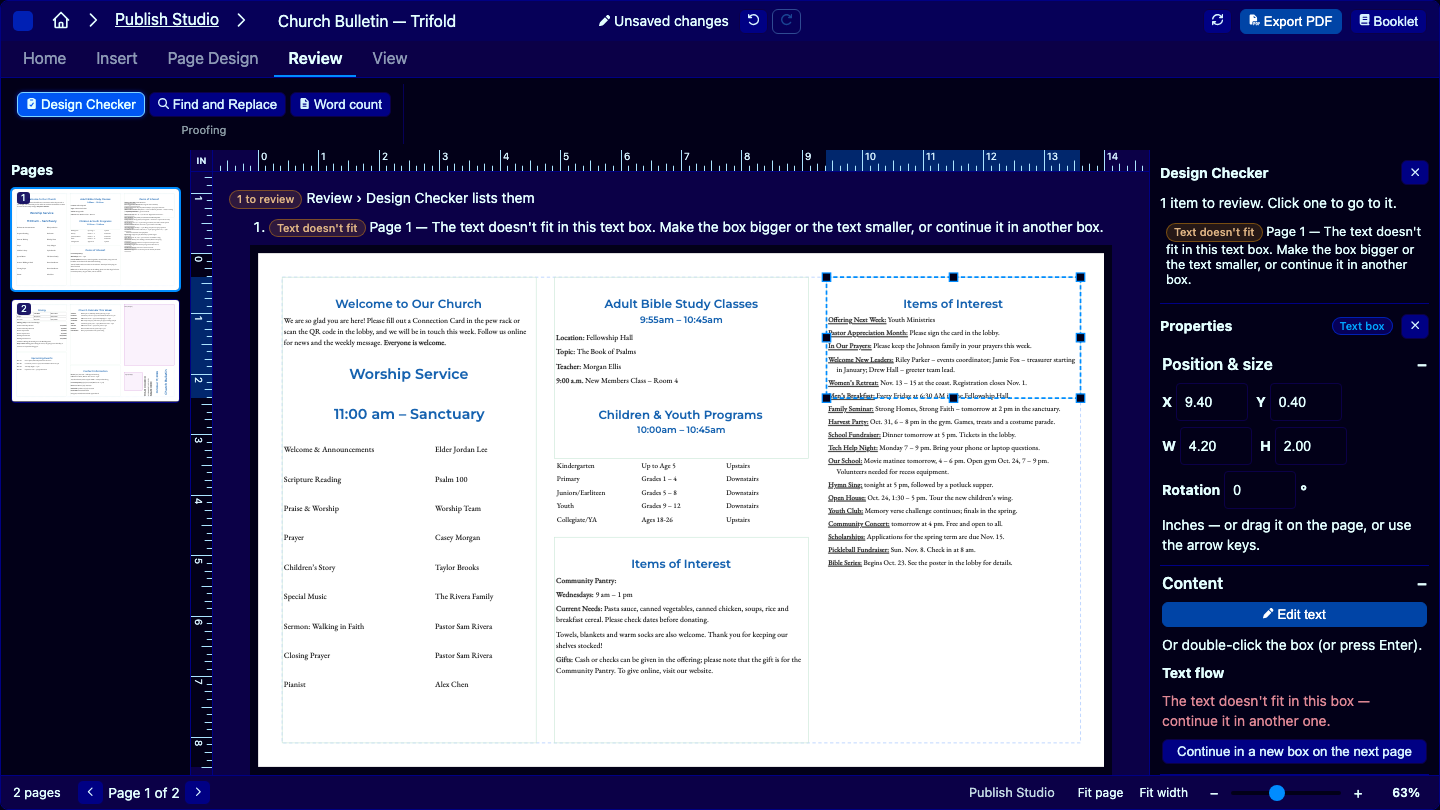
The Design Checker catches text that doesn't fit its box before it reaches the printer. Find and replace across every page. Then export a print-ready PDF — or a folded booklet, with the pages already in printing order.
What makes PublishStudio different
Real layout tools, without the desktop install.
Use cases
What people make with PublishStudio.
Weekly bulletins and programs
A two-sided trifold for Sunday, an order of service for a wedding or memorial — swap this week's words into last week's layout.
Newsletters
Multi-page newsletters with stories that continue on a later page, pull quotes and pictures with text wrapped around them.
Flyers and posters
Events, sales and announcements, from a starter layout or a blank page in any size.
Booklets
Program books and guides with master pages and automatic page numbers, exported ready to fold and staple.
Lay it out. Print it. Done.
PublishStudio is available on its own or in the Complete bundle with every Webend Creator studio. Start a 14-day free trial — no credit card.